How to set up your organization's details and branding
Updated September 17, 2026
Do this early. The time zone and currency set here are used everywhere else in the product, so changing them later affects far more than this one screen.
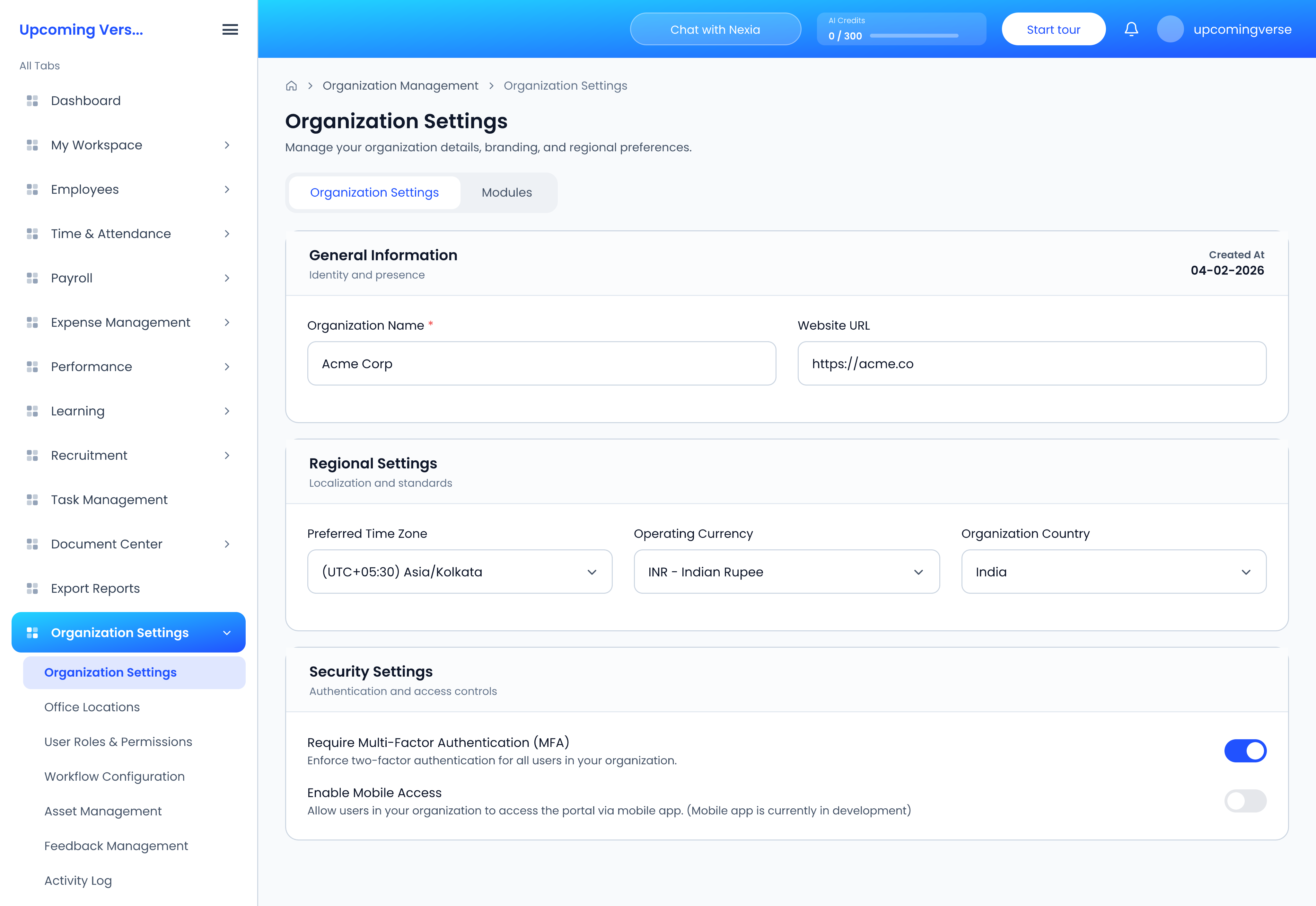
Open Organization Settings → Organization Settings. The page is split into four cards.
General Information
Organization Name, Website URL and About. The About text was drafted from your website when you signed up — rewrite it if it does not fit.
Branding & Theme
- Organization Logo — drop in a PNG or JPG.
- Brand Palette Configuration — five colours, from Primary Base to Surface/Text. The Live Scheme Preview strip shows them side by side before you save.
Regional Settings
- Preferred Time Zone — attendance times are recorded against it, and dashboard panels such as Absent today use it to decide what "today" means. If times look an hour or more out across the product, check this first.
- Operating Currency — payroll and billing amounts are shown in it.
- Organization Country.
Security Settings
- Require Multi-Factor Authentication (MFA) — makes everyone use a code from an authenticator app when they sign in.
- Enable Mobile Access — marked Coming Soon while the mobile app is in development, so it cannot be switched on yet.
Save when you are done. Nothing changes until you do.
Choose your modules
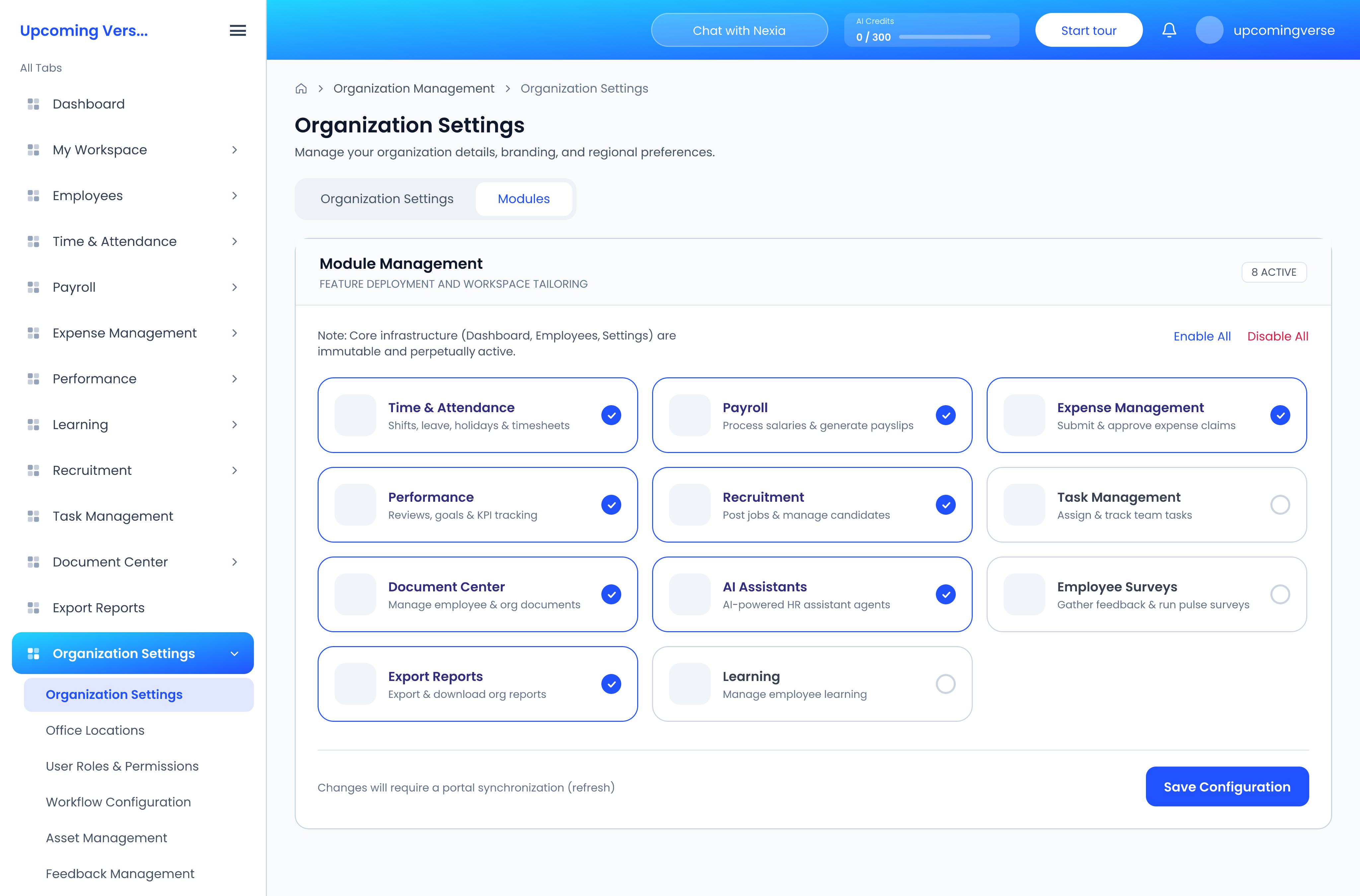
The Modules tab on the same page switches whole areas of the product on or off for everyone — Payroll, Recruitment, Learning and so on. A module that is off does not appear in anyone's sidebar, whatever their role.
Register your offices
Open Organization Settings → Office Locations and add each branch, office or remote hub. Locations feed employee records and attendance, so add them before you bring your people in.