How to set up leave types and leave policies
Updated September 17, 2026
Leave is configured in two places: Leave Types says what leave exists and how much people get, and Leave Policies sets the rules that apply across all of it.
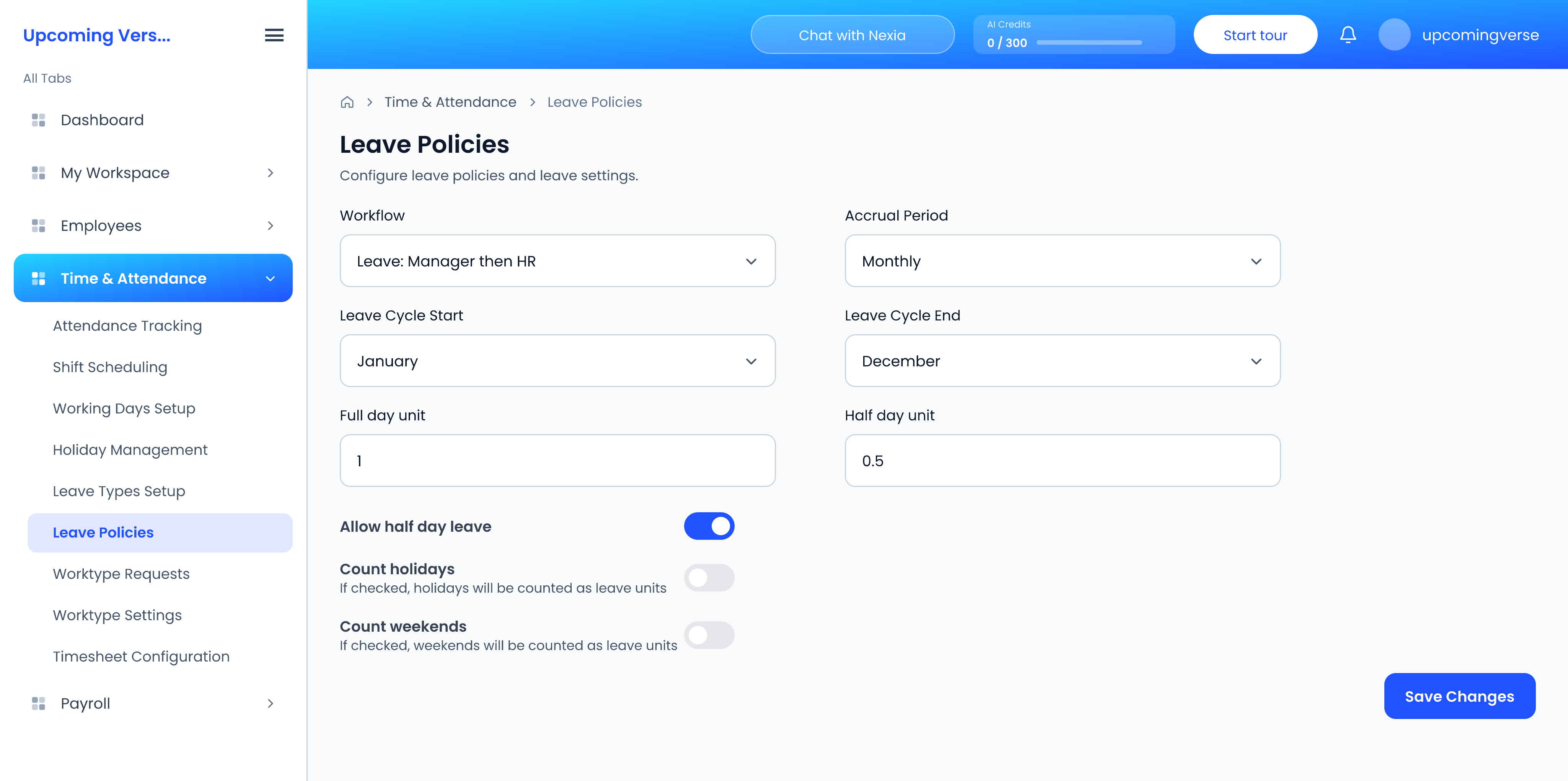
Leave types
- Open Time & Attendance → Leave Types Setup.
- Review the pre-defined types, or add your own with + Leave Type.
- For each type, set its leave balance, whether it is paid or unpaid, whether half days are allowed, and whether it is gender specific.
The list shows each of those at a glance, and can be filtered to paid or unpaid leave. Open a type to see the rest — its cycle, whether unused days carry forward and at what percentage, and rules such as Approval Required and Pro Rata Allotted.
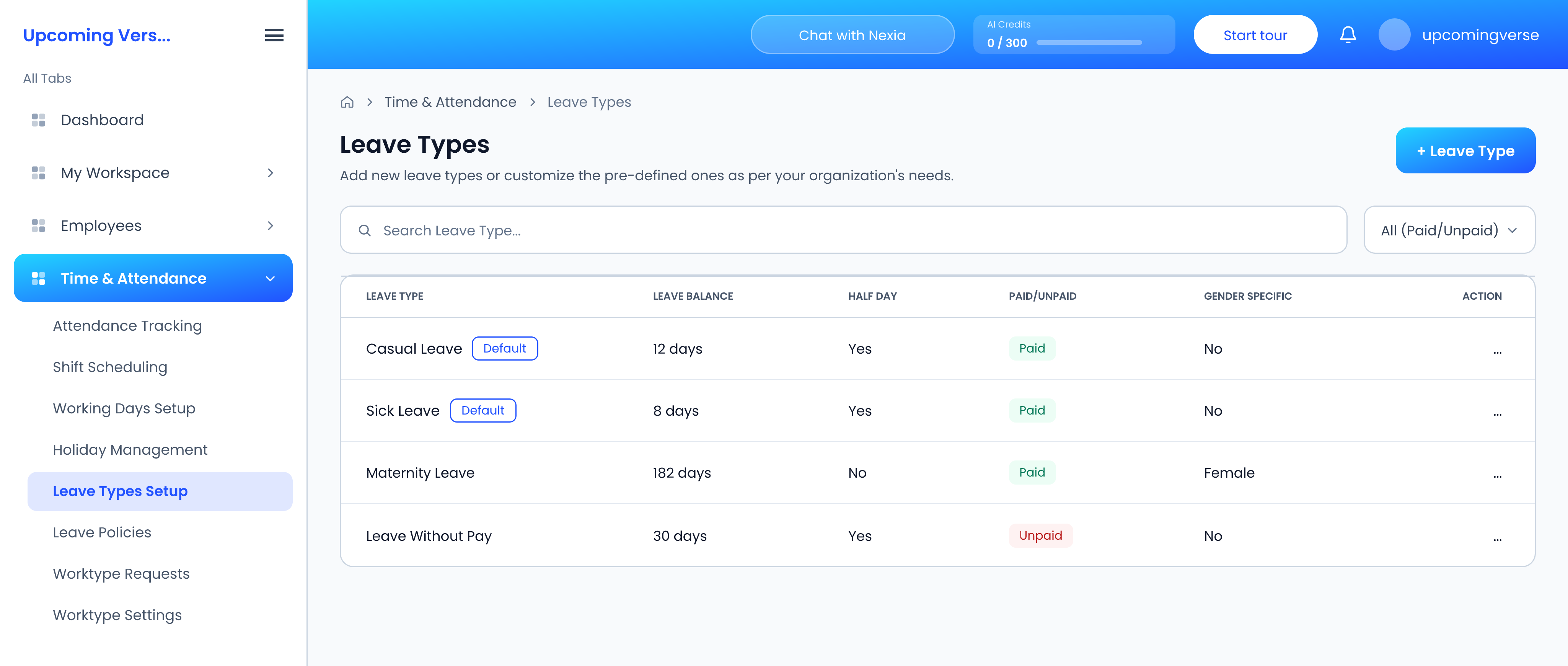
Leave policies
Open Leave Policies. The settings here apply to every leave type:
- Workflow — the approval workflow leave requests go through.
- Accrual Period — Monthly, Quarterly, Half Yearly or Yearly.
- Leave Cycle Start and Leave Cycle End — the months your leave year runs between.
- Full day unit, Half day unit and Allow half day leave.
- Count holidays and Count weekends — whether those days come out of someone's balance when a request spans them.
Click Save Changes. Changing the accrual period asks you to confirm first, because it can affect existing balances.
Decide once, and tell people
If Count weekends is on, a Friday-to-Monday request costs four days rather than two. That is a reasonable choice, but employees will be surprised by it unless they know.
Correcting one person's balance
Do not change a leave type or the policy to fix one person — those apply to everyone. Adjust that employee's balance directly instead.