Why your net pay is lower than expected
Updated September 17, 2026
Open My Workspace → My Pay & Finance. The page shows your salary, any loans, and your payslips. One of these usually accounts for the difference.
1. A loan repayment
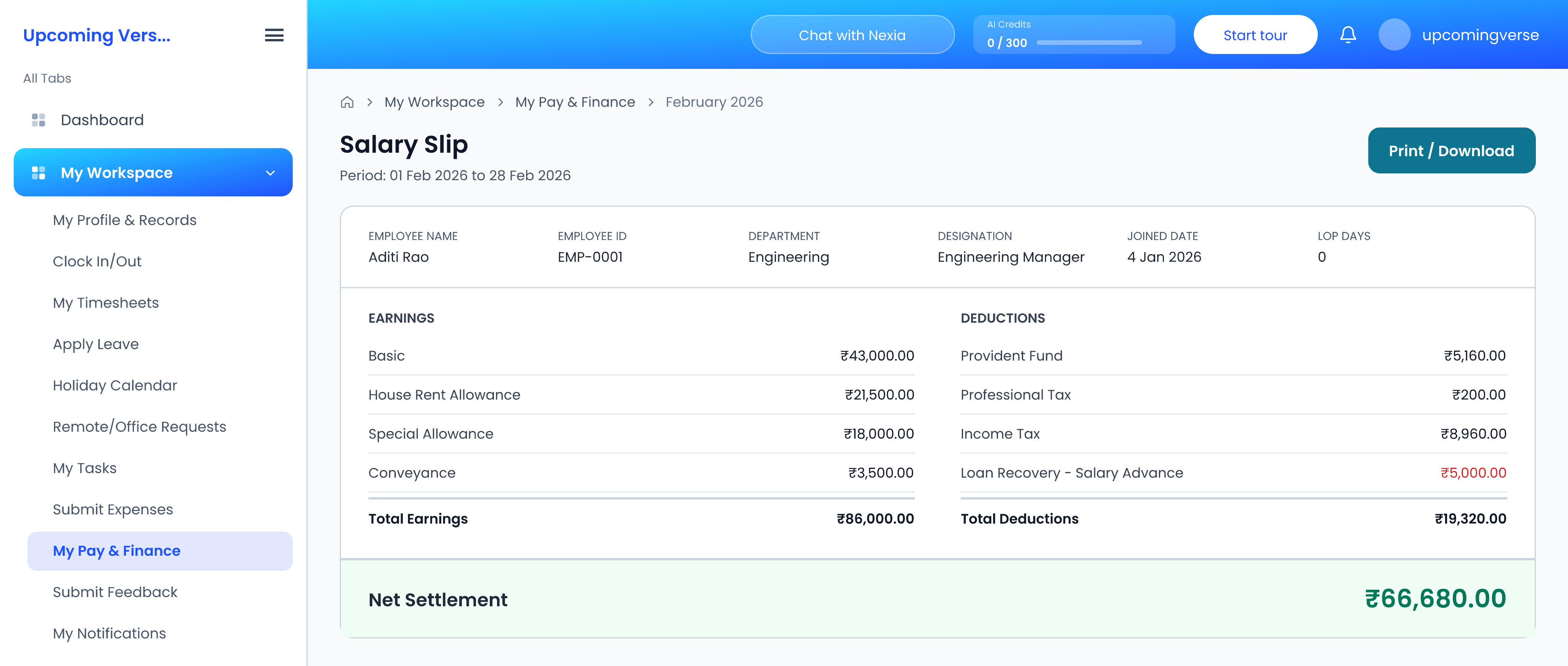
If you have a loan through your employer, its installment is taken from your pay automatically and shows on the payslip as Loan Recovery.
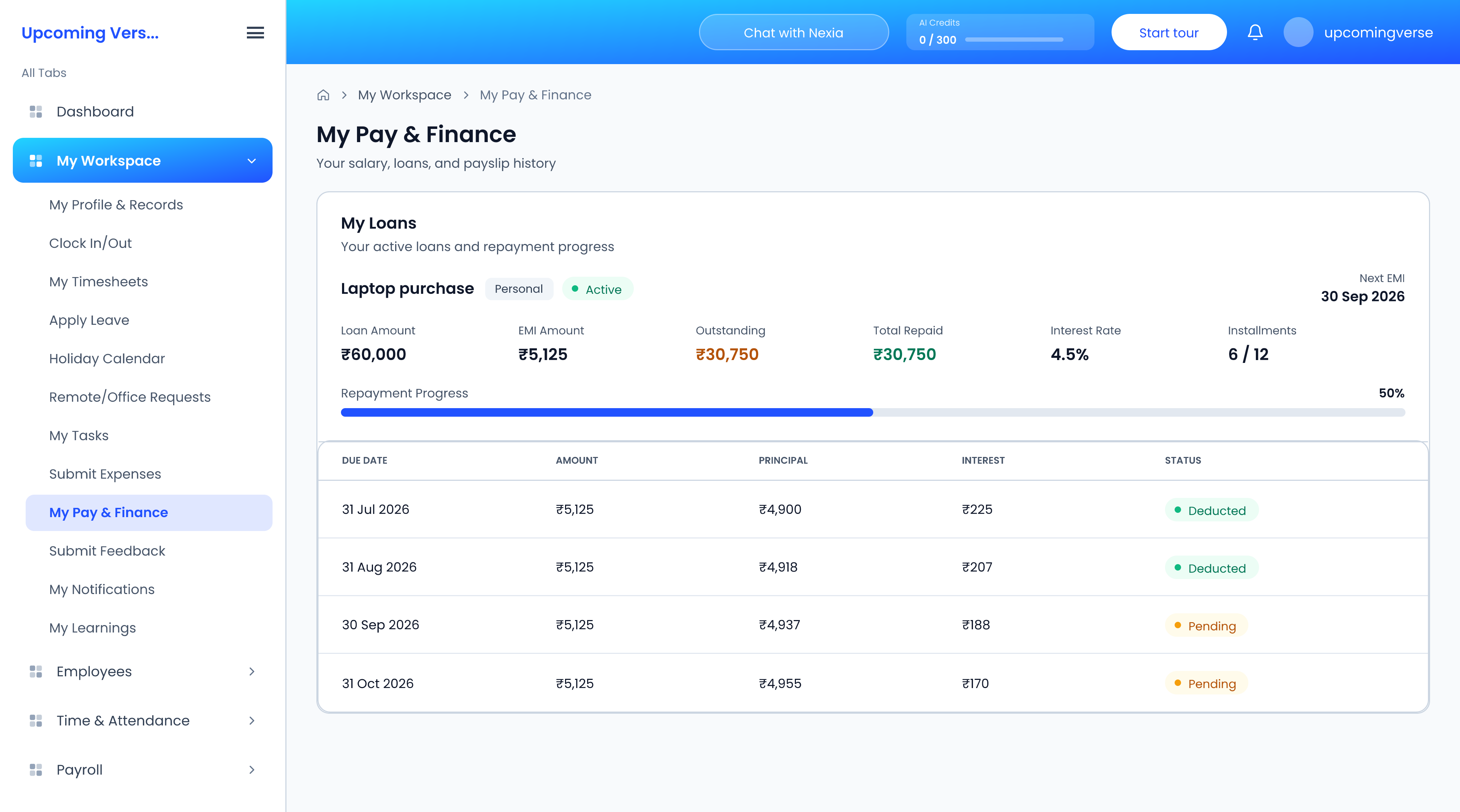
Your loans are under My Loans, each with its Loan Amount, EMI Amount, Outstanding balance, Total Repaid, Interest Rate and Next EMI. Open the repayment schedule to see each installment by due date. An installment marked Deducted was recovered in that period's payroll; Pending ones are still to come, and Skipped ones were not taken that period.
2. A deduction line
Under Salary Slips, click View on the month and look down the deduction lines for anything that was not there last month.
3. An additional salary adjustment
Bonuses, incentives, arrears and advances are paid as additional salary. A one-off payment last month makes this month look lower by comparison.
4. Unpaid leave
If your organization allows leave as loss of pay when a balance runs short, those days reduce the month's pay.
If a figure is still wrong
You can view your loans and payslips but not change them. Loans, salaries and adjustments are all managed by your payroll team, so take the payslip to them and point at the line in question.