Expenses & approvals
How to review expense claims and set an expense policy
Updated September 17, 2026
Review claims
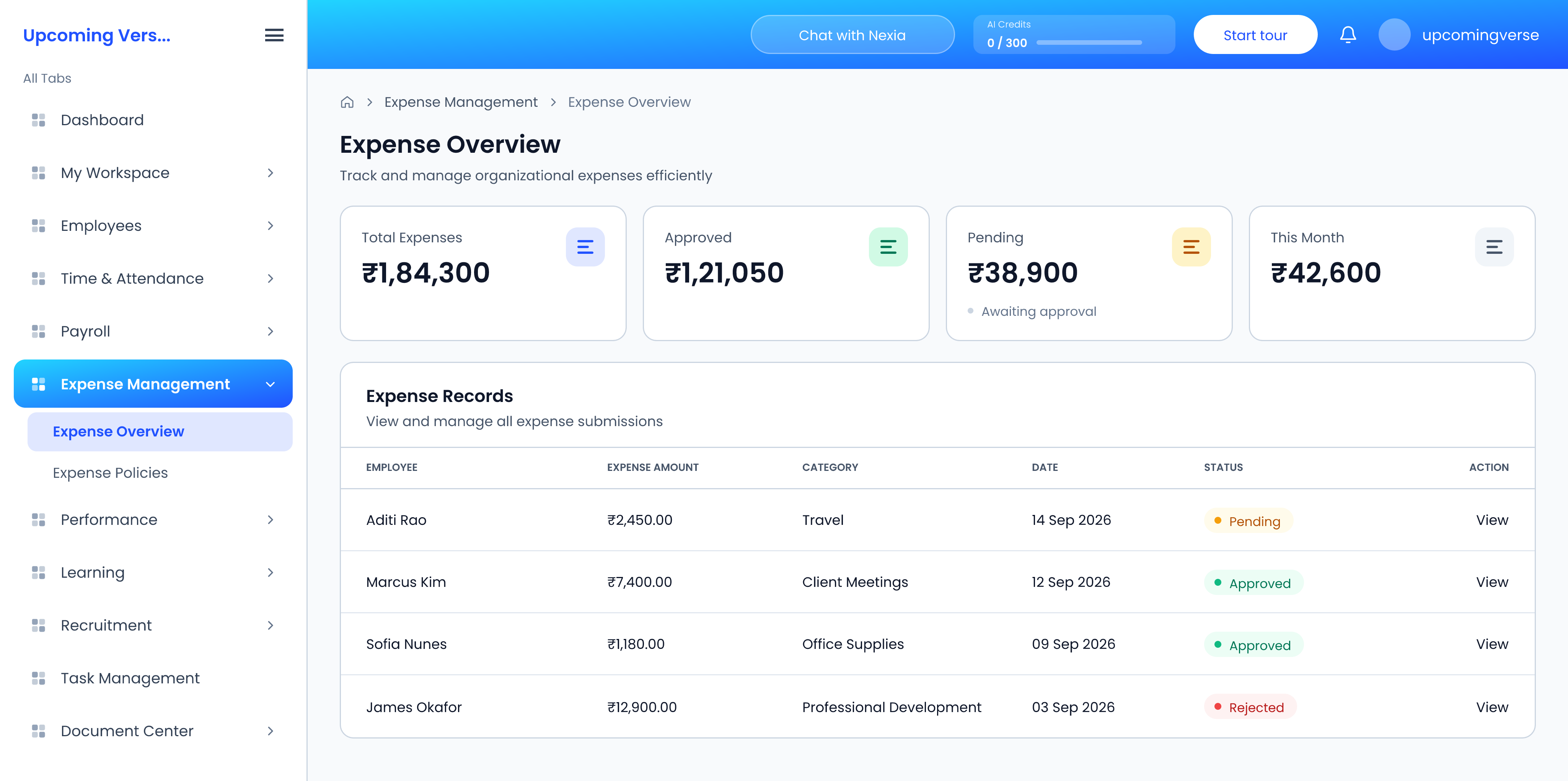
- Open Expense Management → Expense Overview.
- Search by employee name or description, or filter by category or approval status.
- Open a claim to review it and act on it.
The same screen shows totals, approved amounts and pending claims at a glance. Approvers who only need to decide on claims can work from the Expense tab of the Approval Center instead.
Set the expense policy
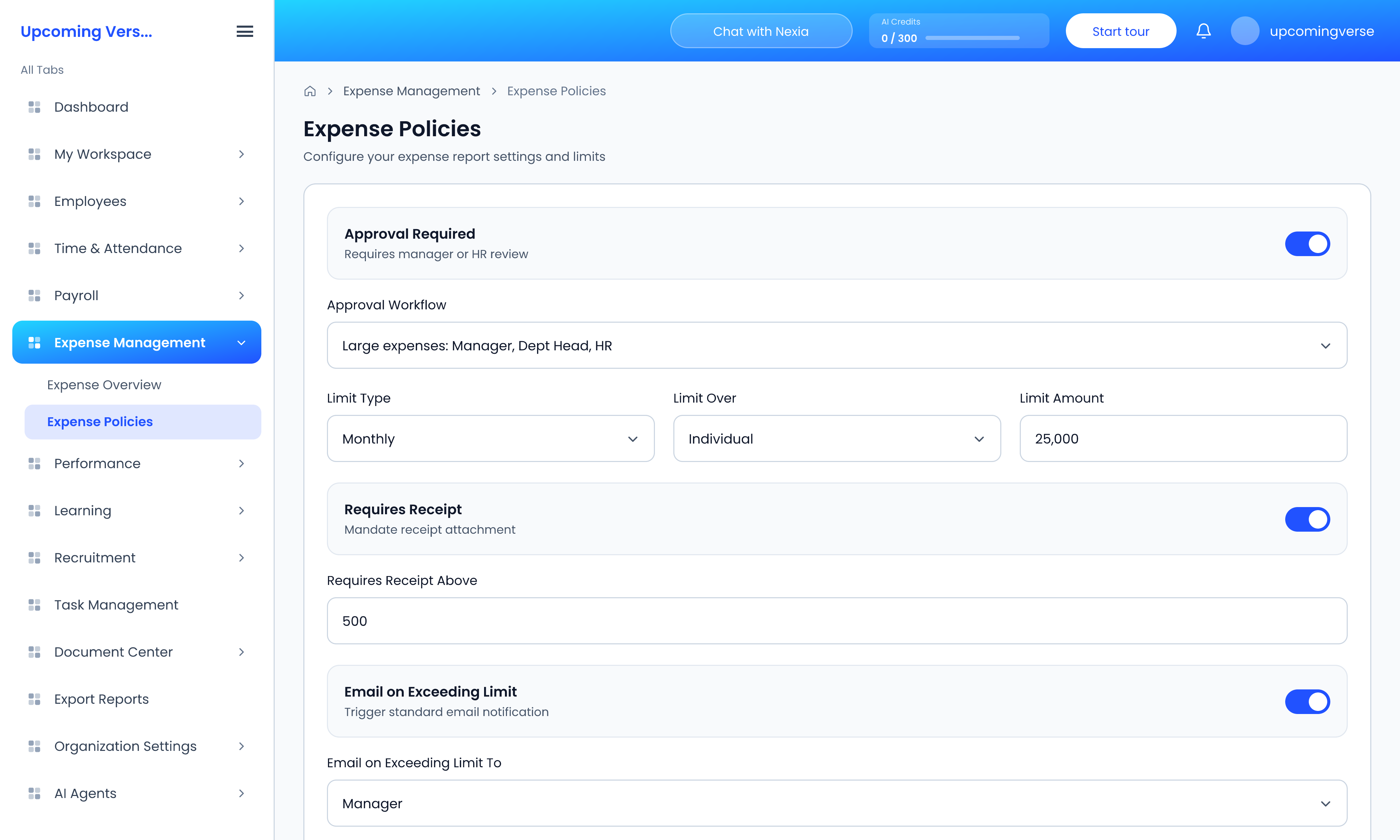
Open Expense Management → Expense Policies.
- Approval Required — whether claims need a manager or HR to review them, and the Approval Workflow they go through.
- Limit Type — whether the limit resets Monthly or Quarterly.
- Limit Over — whether the limit applies to each Individual, or is shared by a Team or Department.
- Limit Amount — the ceiling itself.
- Requires Receipt — mandate a receipt, optionally only for claims above an amount set in Requires Receipt Above.
- Email on Exceeding Limit — who is told when someone goes over: their manager, HR, their department head, or the individual.
- Integration with Payroll — sync expenses with employee payroll.
Click Save Changes. The policy applies to every claim in the organization.
Shared limits catch people out
With Limit Over set to Team or Department, one person's claims use up the allowance for everyone in that group. An employee who is blocked despite spending little may be hitting a limit their colleagues filled.
Approved is not the same as paid
Approving a claim and reimbursing it are separate steps. Approved claims are paid on your organization's own payment cycle, so tell employees what that cycle is to save them asking.
Taggedexpensesexpense policyspending limitreceiptsreimbursementadmin