How to set up a performance review cycle
Updated September 17, 2026
Reviews are driven by cycles. You define what a review asks once, in a template, and then run it for a group of people on a schedule.
1. Build a review template
Under Performance → Review Templates, add the sections, questions and rating scales. If reviews should rate competencies, add them to Competencies first — templates draw from that library.
The template also decides which perspectives the review needs — self, manager, peer — and that decides which phases the cycle has to schedule.
2. Create the cycle
- Open Performance → Review Cycles and click New Cycle.
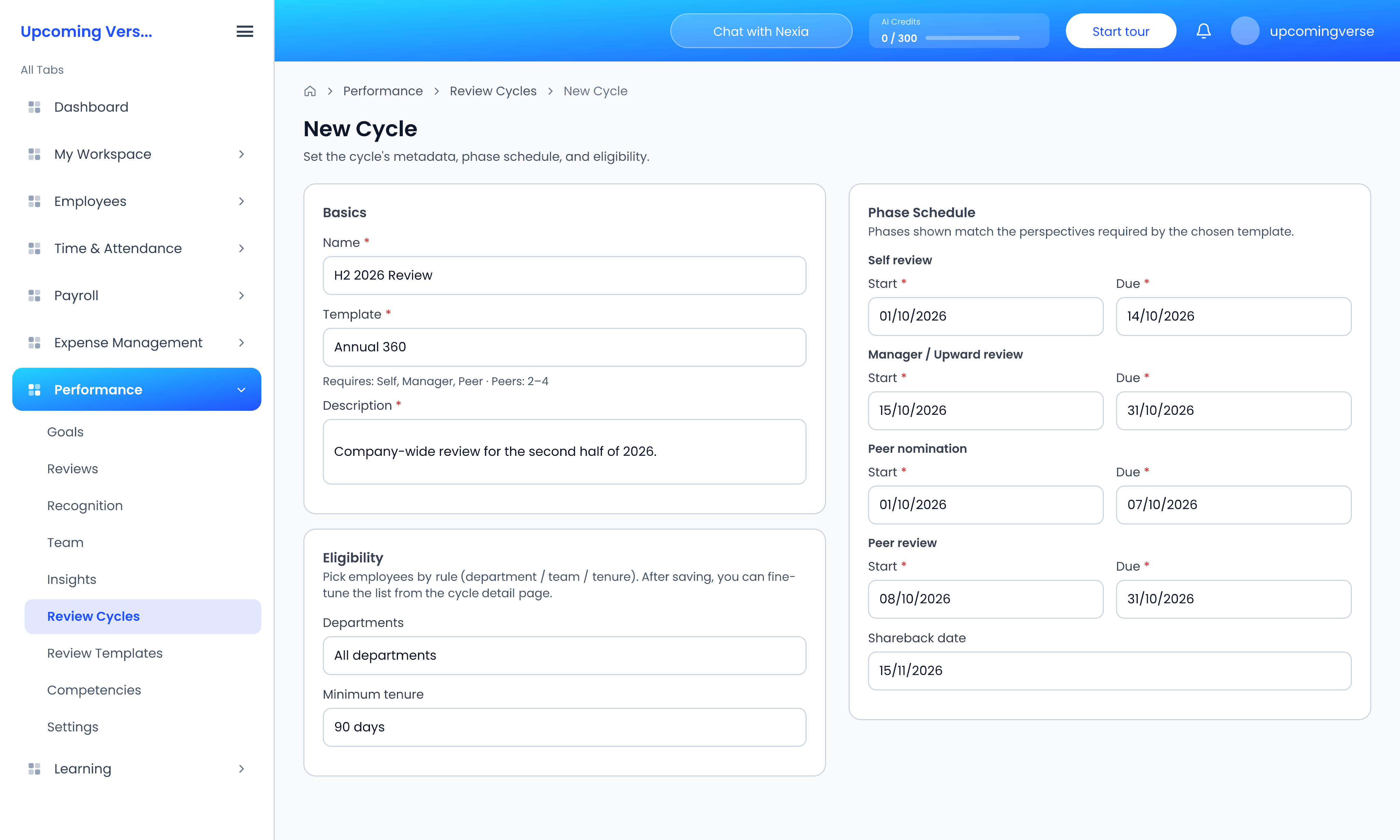
- Basics — name the cycle, choose the template, and add a description.
- Phase Schedule — set a start and due date for each phase the template needs: Self review, Manager / Upward review, Peer nomination and Peer review. Add a Shareback date for when results go back to employees.
- Eligibility — pick who is reviewed by rule: department, team or tenure.
- Save.
If the Phase Schedule is empty, no template has been chosen yet. After saving, you can add or remove individual employees from the cycle's detail page.
3. Move the cycle through its stages
The Review Cycles list shows each cycle's template, status, how many people are eligible and its schedule. Move a cycle on from its actions:
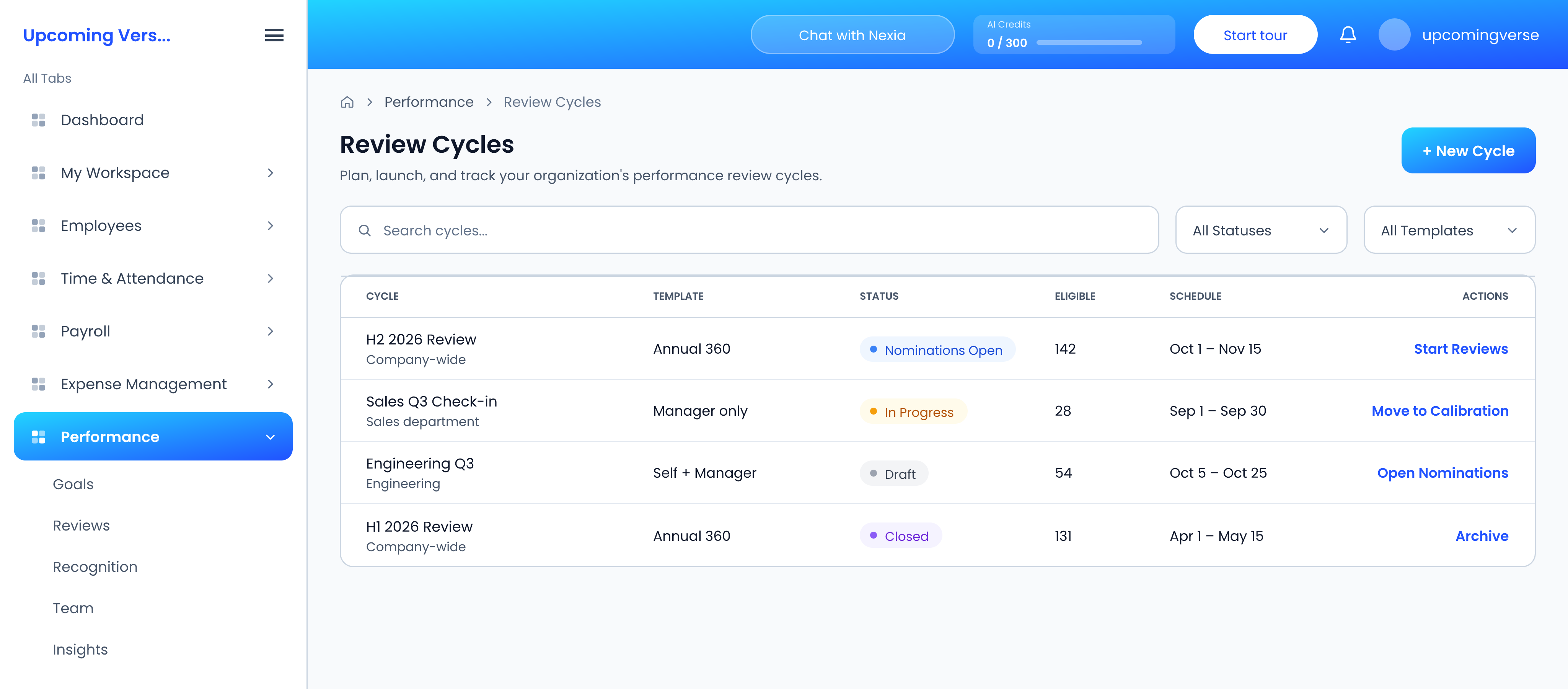
- Draft → Open Nominations, so peers can be nominated.
- Start Reviews — the cycle is In Progress and review tasks appear under Performance → Reviews.
- Move to Calibration, to compare and adjust ratings across the group.
- Close, and later Archive.
"I don't have a review to fill in"
Either the person is not eligible for the cycle, or the cycle has not reached the reviews stage yet. Check both before anything else.
A submitted review needs changing
Submitted reviews are locked. The cycle owner has to reopen it.