How to delegate a task to an AI agent
Updated September 17, 2026
First, enable the agents you need
Open AI Agents → Agent Setup, browse the catalogue, and enable the agents for your organization. Configure what each one can do and which data it can reach. An agent that cannot see some data has not been given access to it here.
Delegate a task
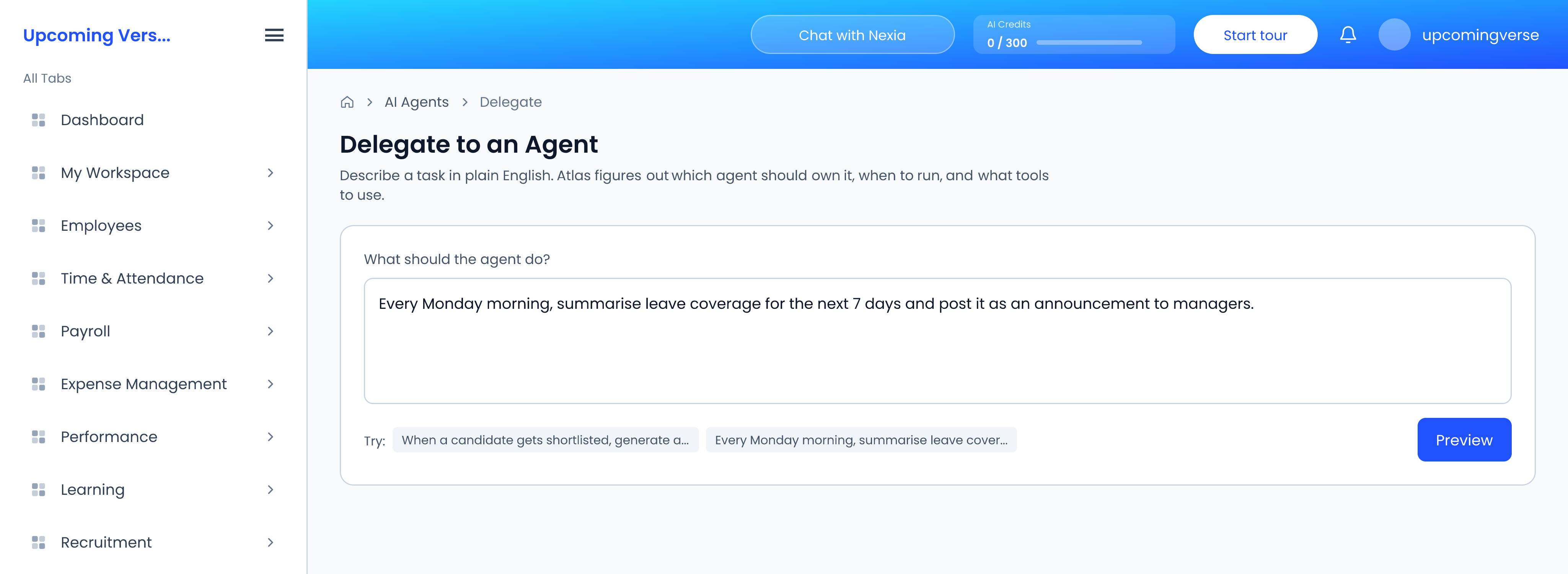
- Open AI Agents → Delegate Tasks.
- Under What should the agent do?, describe the task in plain English — "Every Monday morning, summarise leave coverage for the next 7 days and post it as an announcement to managers", for instance. The Try: suggestions fill in an example if you want a starting point.
- Click Preview.
Check what the agent understood
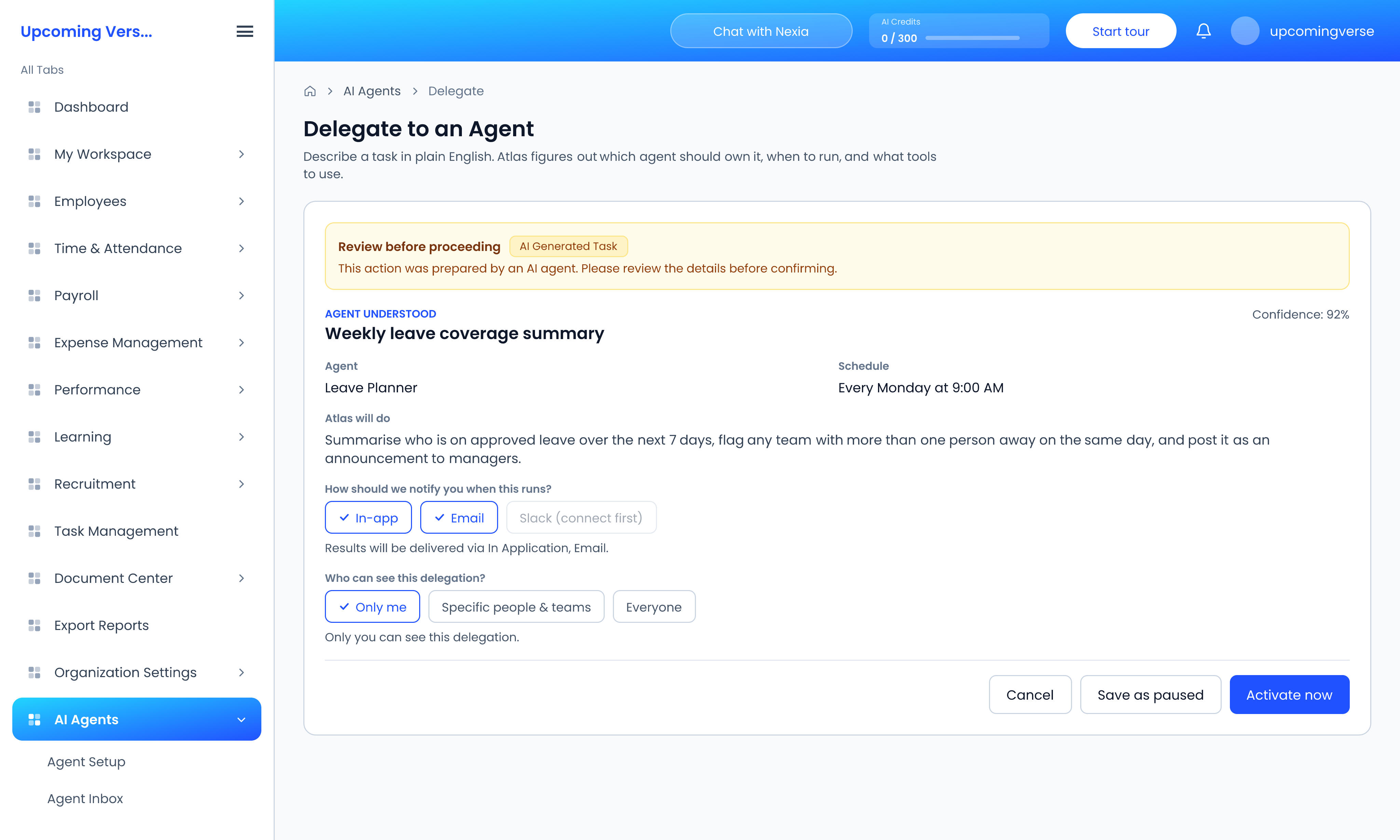
The preview is marked Review before proceeding, because an AI prepared it. Read it carefully:
- Agent and Schedule — which agent will own the task and when it runs.
- Atlas will do — the task in the system's own words. If this is not what you meant, cancel and reword your request.
- Confidence — a low figure comes with a warning to review before activating.
Then choose How should we notify you when this runs? — In-app, Email or Slack — and Who can see this delegation? — Only me, Specific people & teams, or Everyone. Whoever you share it with can see it and its results, but only you can run, pause or delete it.
Finish with Activate now, or Save as paused to switch it on later.
Manage your delegations
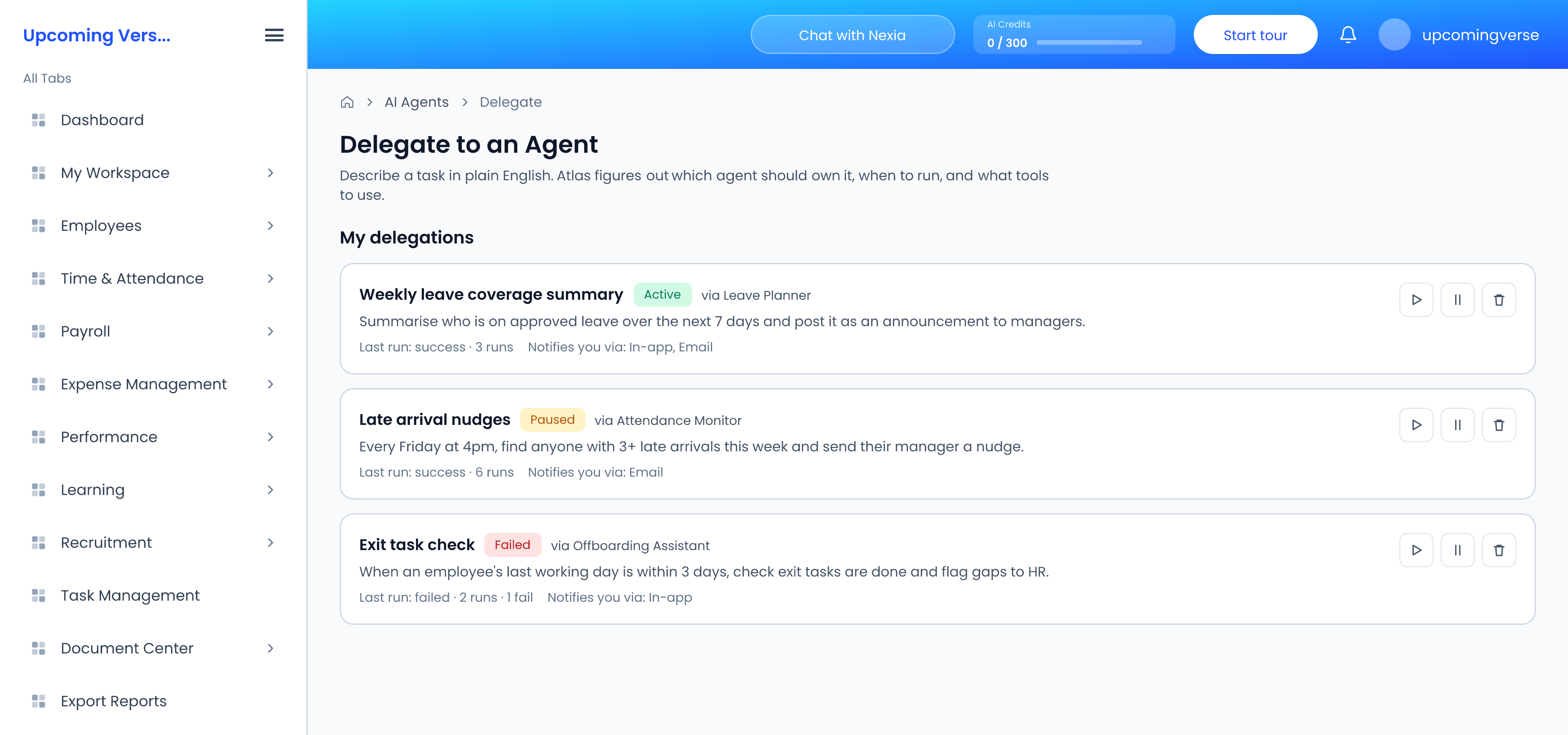
Your tasks are listed under My delegations, and ones colleagues have shared with you under Shared with me. Each shows whether it is Active, Paused, Running, Completed or Failed. Use Run now to test one straight away rather than waiting for its schedule, or pause it.
Activate now is greyed out
There is a limit on how many delegations can be active at once. Save the new one as paused, or pause another first. If you chose to share it, you also need to pick who with.
AI credits
Agents use AI credits. The remaining balance is in the header, with more detail under AI Analytics. When credits run out, agent features stop until more are added.