How to use the AI agents in Slack
Updated September 17, 2026
Setting up Slack takes two steps, done by different people. Both are needed.
1. An administrator connects the workspace
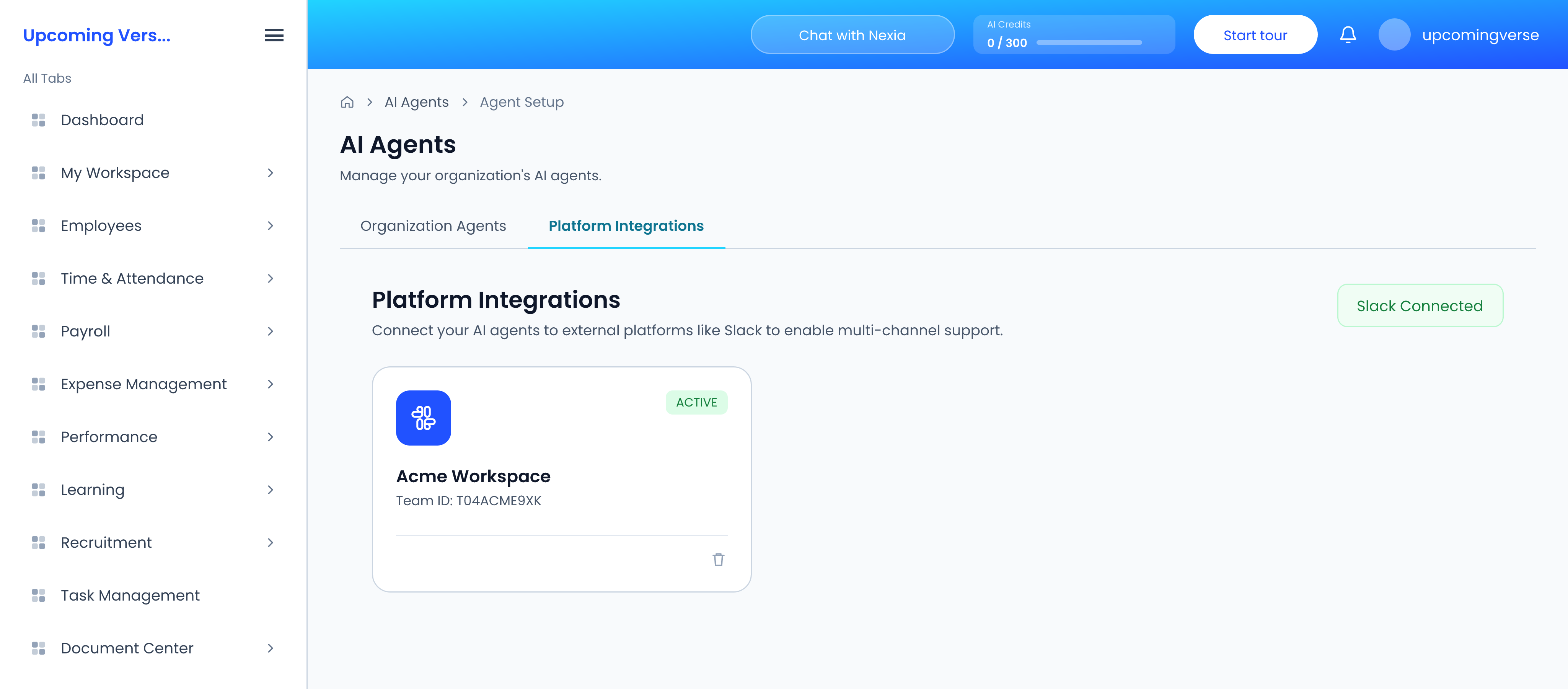
- Open AI Agents → Agent Setup, and switch from the Organization Agents tab to the Platform Integrations tab.
- Click Connect Workspace.
- Slack's own authorisation screen opens. Approve the workspace.
The button changes to Slack Connected, and the workspace appears as a card marked Active. This is done once for the whole organization.
2. Each employee links their Slack profile
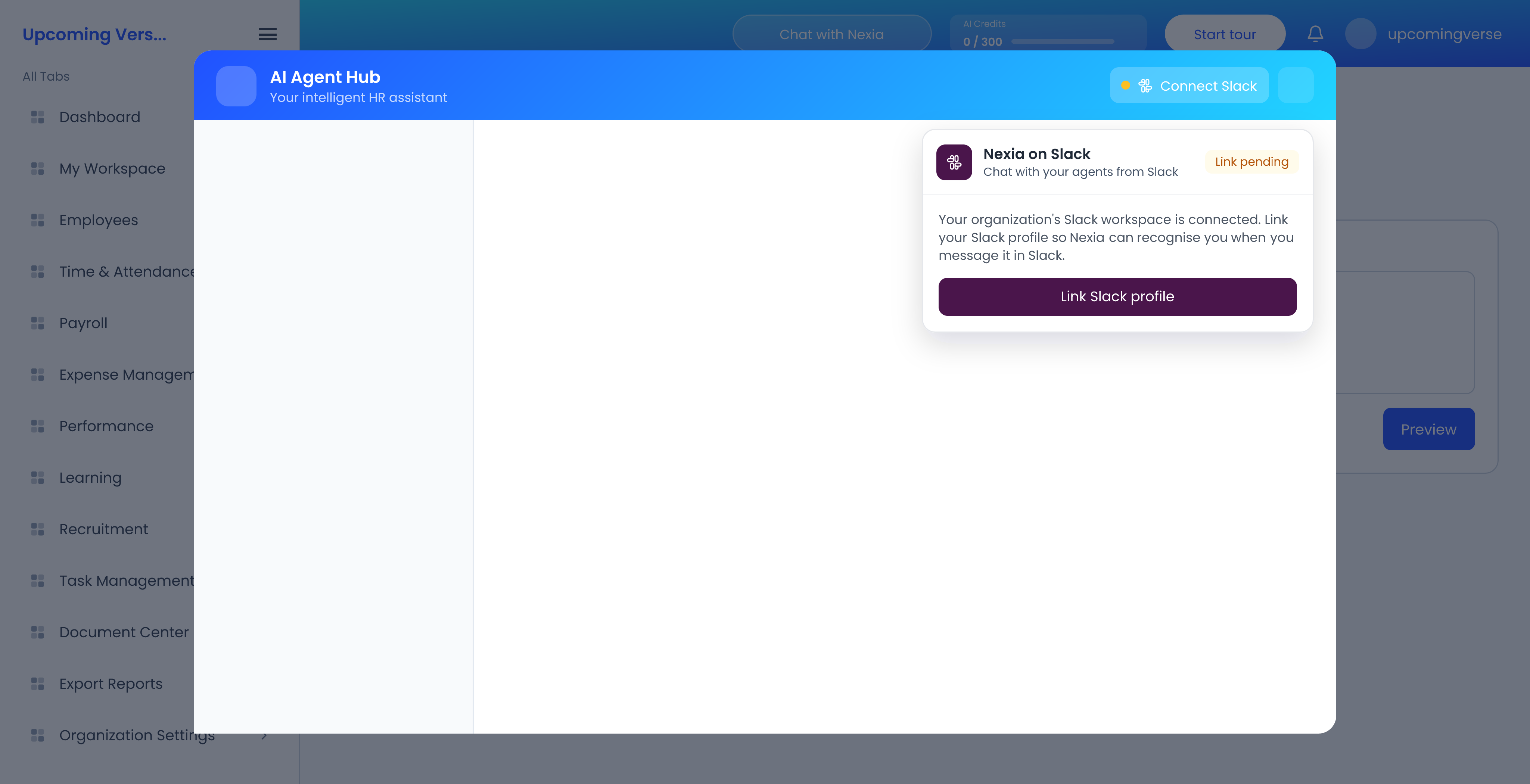
- Click Chat with Nexia in the header to open the AI Agent Hub.
- Click Connect Slack at the top of that window. The Nexia on Slack card opens, marked Link pending.
- Click Link Slack profile, and approve in Slack.
The same Link Slack Profile option is also on your own profile page. Once linked, the card reads Your Slack profile is linked.
Linking only works after the workspace is connected, and only from that same workspace — linking from a different Slack workspace fails. If the card tells you to ask an admin, the workspace has not been connected yet.
Using the agents
- Send the Nexia app a direct message, or @mention it in a channel it has been added to.
- Each conversation runs in a thread, and the thread remembers the context across replies.
- The app's Home tab has quick actions — leave balance, recent payslips, pending approvals — and your recent conversations.
- When you delegate a task, Slack becomes one of the ways you can be notified.
Approving from Slack
When an agent proposes something that needs approval, the message carries Approve and Reject buttons. Replying approve or reject in the thread does the same.
What you can see
Answers in Slack follow the same permissions as the web app. You see only what your role lets you see there. Slack conversations use AI credits like any other agent conversation.
It worked, then stopped for everyone
Either the workspace was removed from the Platform Integrations tab of Agent Setup, or the organization is out of AI credits. Deleting the integration disconnects Slack for the whole organization.